Open Source · GDPR · JavaScript
ConsentKit
Stop paying monthly for a cookie banner. ConsentKit is a free, open-source consent widget — drop one JS file, get full GDPR compliance with Google Consent Mode v2.
Stop paying monthly for a cookie banner. ConsentKit is a free, open-source consent widget — drop one JS file, get full GDPR compliance with Google Consent Mode v2.
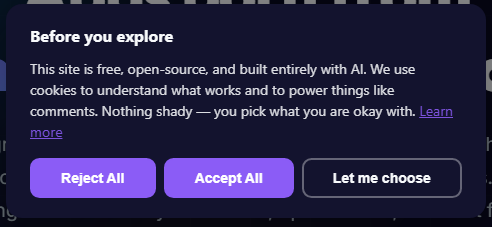
ConsentKit is a fully-featured GDPR cookie consent widget that you can drop into any website with a single JavaScript file. No backend required. No account. No subscription. It stores consent preferences in the browser's localStorage and integrates natively with Google Consent Mode v2.
gtag('consent', 'update', ...) automaticallyCookie consent tools are surprisingly expensive for what they actually do. A banner, a few toggles, and some localStorage writes. When I needed one for this site, I looked at the options and decided the monthly fees didn't make sense. So I described what I wanted to Claude Code and built it in an afternoon.
The result is a tool that does everything the paid alternatives do — and I'm giving it away free, because there's no reason small sites, indie projects, or solo developers should be paying ongoing fees for this.
I was setting up Resonant Labs and needed GDPR compliance. I looked at the available solutions — CookieYes, Cookiebot, Termly — all good products, all with monthly fees. For something that's fundamentally just storing a few values in localStorage and sending a signal to Google, that felt excessive.
I described the full architecture in a single session: Shadow DOM for style isolation, localStorage for persistence, four consent categories, Google Consent Mode v2 integration, a scroll-lock while the banner is open, and a reopener button for the corner of the page. Claude Code built the TypeScript, the esbuild pipeline, the CSS animations, the config schema.
I didn't write a line of code. I thought through the product — what it needed to do, how it should behave, what the config should look like. That thinking drove the conversation. The AI handled every implementation detail.
"I needed it, I couldn't find a free version good enough, so I built it. Then I released it for everyone. That's the whole story."
ConsentKit now runs on this very site — every page, handling every visitor's consent. It's been tested in production from day one.
Add the inline config and script to your HTML. No npm, no build step, no account needed.
<script>window.__consentKitConfig = { ... };</script>
<script src="consentkit.js" defer></script>
MIT licensed. Full source on GitHub. Use it, fork it, extend it, embed it in your own projects.
View Source on GitHub →
Got thoughts?
Using ConsentKit? Found a bug? Want a feature? Drop it here — no account needed.